Pixel Art
After attempting this art style previously when creating my Space Invaders Assets, I was very aware that my workflow wasn’t the best and I needed to find a better way to create pixel art that allowed me to edit pixels directly instead of using a grid of squares. After researching the best methods it appeared that the majority of artists use Photoshop or specialised software such as Aseprite as these are much more appropriate when compared with Adobe Illustrator. I found Photoshop’s layer structure really helpful in enabling me to separate each component of the piece on to separate layers.
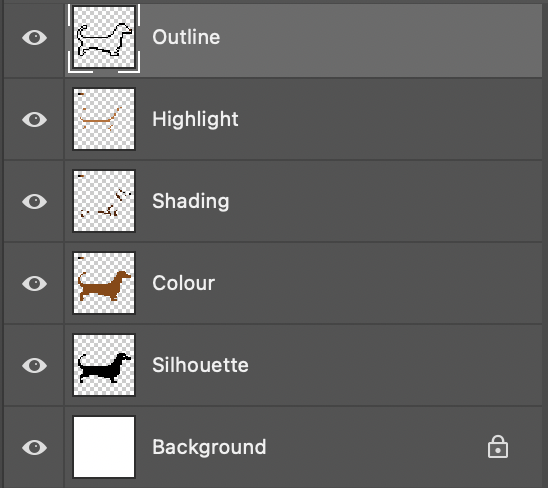
I created a new canvas in Photoshop with a size of 40 x 40 pixels and ensured to turn on the grid in order to see where each of the pixels sat on the grid. Once I could see the pixels I began working on a silhouette. I chose to create a Dachshund as I thought the shape would translate well and make a fun design.
Once the silhouette was in place I used Adobe’s Colour website to choose a suitable colour palette, I chose one that would allow for a base colour, shadows and highlights in order to add depth to my design.
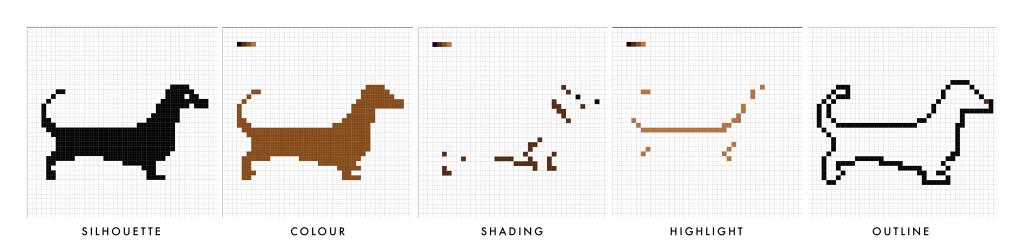
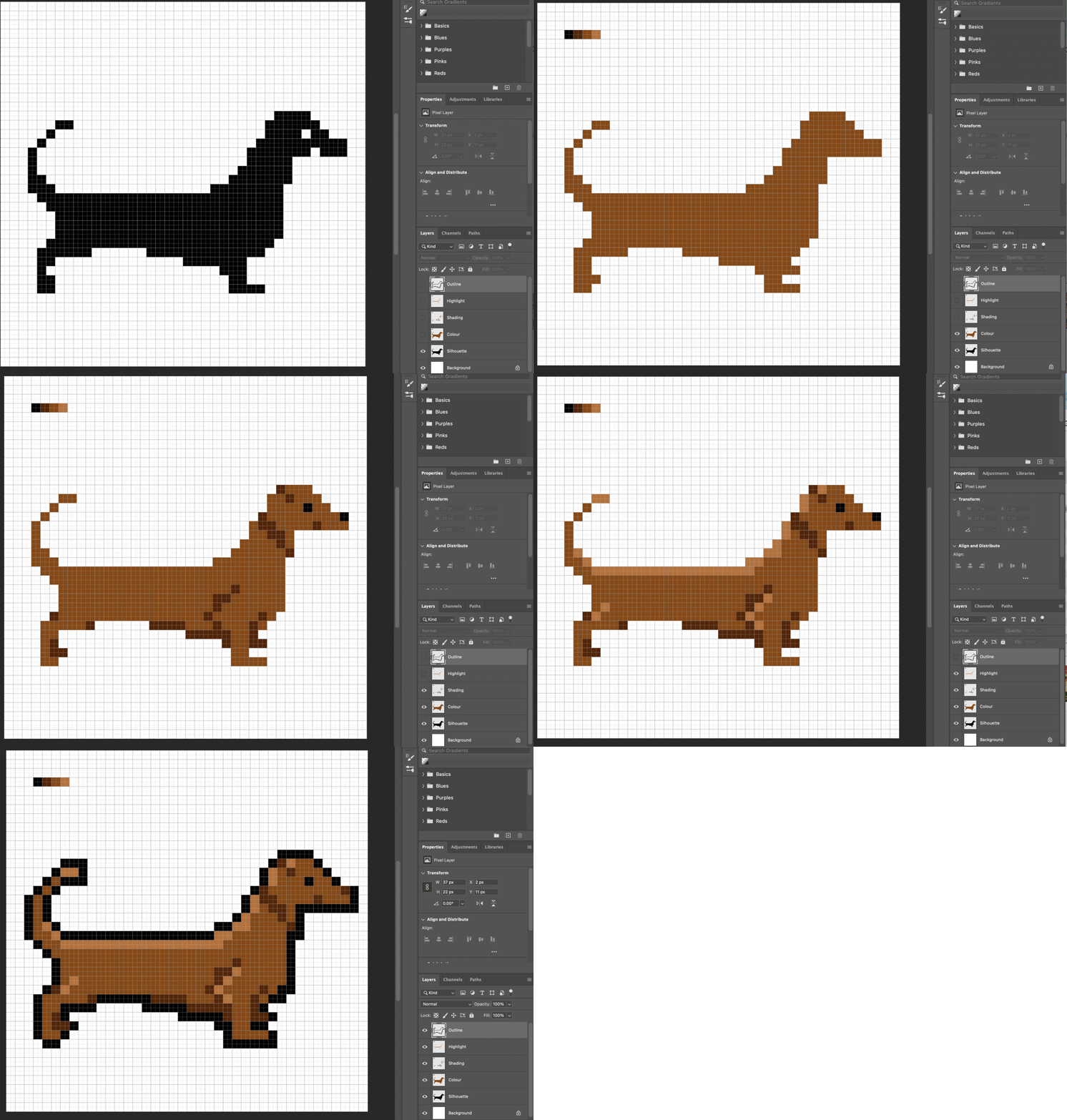
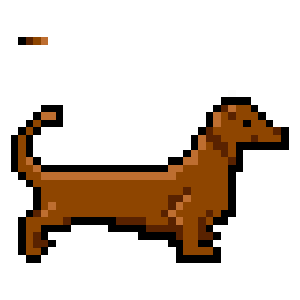
I am really happy with the final outcome and found this process much better than my previous attempt at Pixel Art. Photoshop allows for quick and easy editing of pixels and colours and I found it much more straightforward than creating my previous piece in Adobe Illustrator. Furthermore, I feel that I correctly depicted the light and shadows on the dog (something I have struggled to do previously) and will definitely consider creating more pixel art in the future as it’s a great way to quickly depict characters.
References
Brackeys (2017) PIXEL ART in Photoshop (Tutorial). Available online: https://www.youtube.com/watch?v=rLdA4Amea7Y [Accessed: 03/11/2021]
Brandon James Greer (2019) What Program to use for Pixel Art? (Paid and Free Software). Available online: https://www.youtube.com/watch?v=90BghUX7SD0 [Accessed 03/11/2021].