Lanscape Art

For this piece I began using Photoshop to sketch out some ideas for a landscape however, as I only have a mouse for use with Photoshop I found this particularly challenging. I therefore chose to migrate to Procreate as I own an iPad and Apple Pencil which allows me to draw directly onto the screen thus giving a more traditional approach to digital art.
I chose to use procreate, as the version of Photoshop available on iPad does not have many of the features of the full version and I felt restricted when using it. Procreate on the other hand emulates many of the desktop version of Photoshop’s features and allows me to create and manipulate art digitally as I would in Photoshop using features such as layers, blending modes etc. with the added bonus of the dexterity of the Apple Pencil.
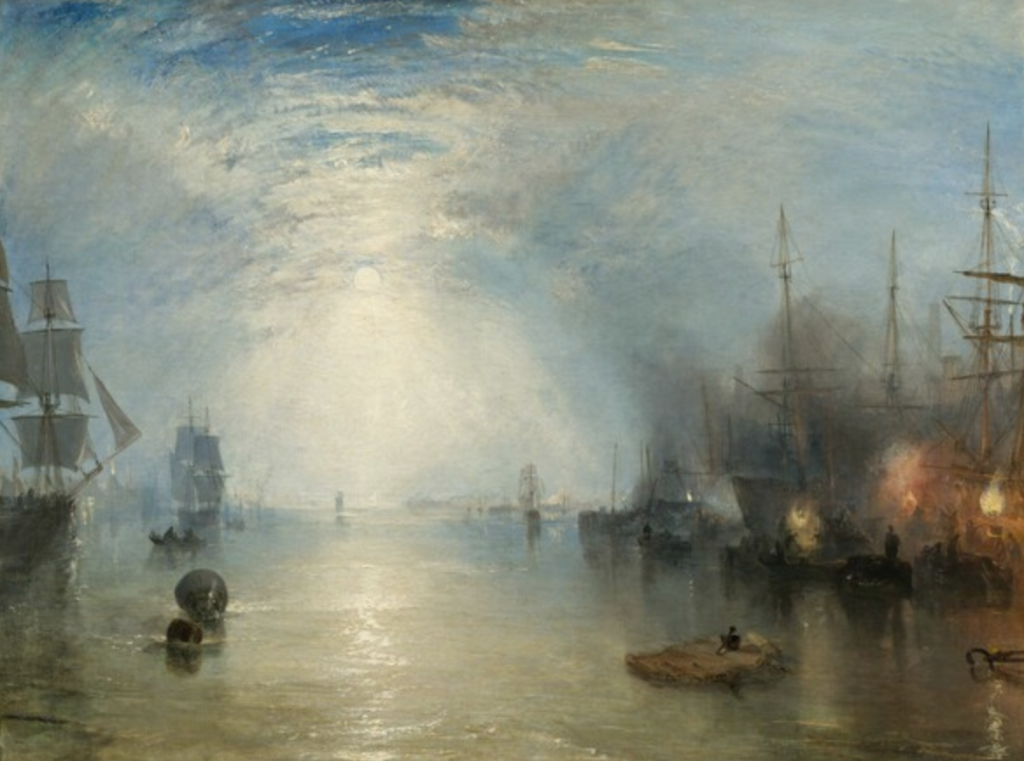
After playing around with some of the brushes in Procreate to get myself used to using the software I began researching landscape painters and particularly liked the work of J.M.W. Turner as I admired the use of light to bring atmosphere to a static landscape. I personally struggle to use colour to effectively depict light and wanted to challenge myself to learn how to do so effectively in order to make a convincing piece of art. I used Turner’s piece: Keelmen Heaving in Coals by Moonlight, 1835 as inspiration as I particularly admired the way light had been used to draw the eye to the horizon and fire engulfing the ships.
As I have no experience using Procreate I thought it best to research some of the basic tools and how to use them, once suitably informed I then watched a tutorial on how to paint sky in Procreate. Using the tutorial as a guide I painted the piece from imagination using the gouache brush as it’s transparency allowed me to build up colour using multiple strokes. I also manipulated this brush to build up an area of saturation in the top left of the piece to depict the glow of the sun as well as using light pressure to create the clouds over the blue background. Using a colour palette of blues and yellows picked from the colour picker I was able to add some depth to the piece but feel overall it is a little too unsaturated and bright. Going forward I will ensure each component of my work is on a separate layer so that I can then manipulate each layer using blending modes to correct any issues I have with colour. I couldn’t do so with this piece as it was all on one layer and therefore changing the blending mode would alter the colour of the whole piece as opposed to just the background.
To try and compensate for the washed out look of the colours I added some light rays and bokeh effect lens glare and used a blur filter to make them less harsh on the top of the image.
Overall I’m happy with this piece as my first foray into digital art but going forward I need to be aware that mastering a subject in one week is not possible. My focus should be on utilising Procreate’s features and organisational tools in order to create a piece that may not be perfect, but can be adapted and built upon in the future once I have acquired more knowledge.
References
ErgoJosh (2019) Beginner’s Guide to Procreate. Available online: https://www.youtube.com/watch?v=rbSPSE5SHvE&t=140s [Accessed: 14/12/2021]
James Julier Art Tutorials (2018) 2018 IPAD PAINTING TEST TUTORIAL – How to paint a sky. Available online: https://www.youtube.com/watch?v=ycdvm086xKE [Accessed 14/12/2021].
National Gallery of Art (2021) Joseph Mallord William Turner. Keelmen Heaving in Coals by Moonlight, 1835. Available online: https://www.nga.gov/collection/art-object-page.1225.html [Accessed 14/12/2021].